
Aurora 16.0.1008 Patch is Here!

Chart
- Fixed a crash when creating a chart from a memory table
Cloud
- Added a progress indicator during Cloud project downloads
- Updated Cloud simulations to properly follow custom column reporting settings
Risk
- Removed unnecessary risk record surplus warnings during CDS initialization
ORM
- Updated ORM processing to skip duplicate areas and added a warning prompting users to verify input data
Nodal
- Fixed an exception in Radial Equivalence logic
- Improved hub definition processing by aligning text casing before processing
Fuel
- Updated multiple fuel logic to include startup costs for all fuels in the fuel decision process
Ancillary
- Added logic to skip negative-capacity resources during ancillary setup
Scripting
- Fixed an issue where deleting an input table via scripting did not update the input table list in the Aurora UI
Parameter Sets
- Corrected an issue that caused all Parameter Sets to disappear from the Parameter Set window
Change Sets
- Prevented crashes and other errors by enforcing uniqueness in Change Set names
- Fixed a crash that occurred when a referenced input table was renamed while the Change Set retained the old reference
Output
- Added a switch for table type prefixes when writing Input to Output
- Restored missing Available Memory statistics in the Study Log table for cloud simulations using the performance engine
- Corrected an issue to ensure proper custom column reporting
General
- Fixed Simulation Progress initialization hangs that occurred when Windows Performance Counters were unavailable
- Improved handling of license errors when multiple Aurora instances are launched simultaneously via script
DB Compare
- Fixed failures when comparing XML outputs

Check Out The Release Notes and Install Guide!
Click Release Notes for full details on all the enhancements that have been added in the Aurora v17.0 release. For installation details, review the Install Guide included with this release.
Xpert Learning in 2026
You can obtain Aurora Core Certification or freshen up on your Aurora knowledge by taking any of our eleven (11) core training sessions.
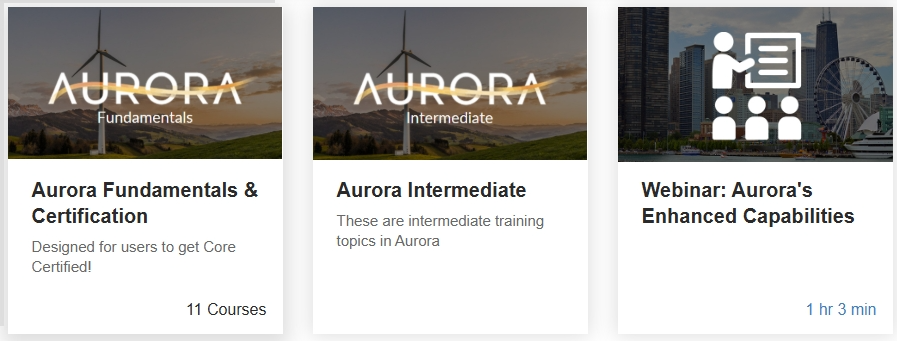
Aurora Fundamentals & Core Certification - The Aurora Core Certification is a technical credential that validates competency, expertise, and operational knowledge in using Aurora. Take the exam to obtain a digital credential that can be added to your LinkedIn profile or your resume.
Aurora Intermediate - Advanced topics include Constraint Options, Long-Term Capacity Expansion, Portfolio Analysis, Random Resource Outages, and Aurora Scripting
Aurora Webinars - Pre-recorded training and workshops that range from fundamentals, enhanced capabilities to advanced topics.
To access Xpert Learning, enter the URL in your browser: https://xpert.energyexemplar.com, and then sign in and register for all the courses that are free to our Aurora customers.
Support Community Client Portal
We invite you to visit the Energy Exemplar Client Portal to download the latest install from the Software link. The URL is: https://portal.energyexemplar.com/
Energy Exemplar's Client Portal gives you easy access to everything in the support community. Be sure to sign up so you can access our newest content, datasets, documentation, support and software.
- Submit and review support cases.
- Download licensed software and the latest datasets.
- Learn from monthly webinars and the new xPert online courses.
- Explore the ever-growing Knowledge Base articles.
- Access recordings, slides from past training's, and UGMs.
Join our Support Community to create and manage support cases. If you are not already a member, email Support at support@energyexemplar.com to sign up! The energy industry is changing fast, and we're here 24/7 to make sure you're staying ahead of the game.